

Kubernetes
YanFlow cluster provides multi-machine job functionality, using Kubernetes for resource scheduling, and automatically releases relevant resources after job completion. Currently supports
torchrunmethod, and will supportaccelerate,deepspeed, and other methods in the future.
Description
YanFlow cluster's Kubernetes job is a type of multi-machine job.
- Scheduling Mode: This mode performs whole-machine scheduling, meaning at minimum one machine is scheduled.
- User Requirements: Users need to understand PyTorch's DDP (Distributed Data Parallel) mode to perform Kubernetes jobs.
Users unfamiliar with DDP can refer to
here - Environment Preparation: Kubernetes jobs require users to correctly install required environments, such as CUDA, PyTorch, NCCL, etc. The platform provides template images, and users can also prepare images that meet multi-machine job requirements themselves.
Job Creation Steps
- Create New Job Configuration: Click "Add Job".
- Resource Selection: Select project, GPU model, number of nodes (number of machines to schedule).
- Image Selection: Select appropriate image, ensuring PyTorch and related environments and communication libraries (such as those required to run
torchrun) are installed. - Directory Mounting: If data mounting is needed, please set it yourself.
- Code Path Selection: Select executable training code path, path should point to the folder containing the executable file.
- Dependency Supplement: If dependencies are missing in the image, supplement through "Dependency Environment Installation Command".

Note: Code projects are generally stored in users' personal directories. The platform will mount this directory (training code path) to
/root/workdir/inside the container by default.
Example: Mask R-CNN Training
We provide sample code projects, you can click to download, please refer to the following steps to create a job:
File Upload and Extraction: Upload and extract sample files through Storage File Management Username Upload File Extract. 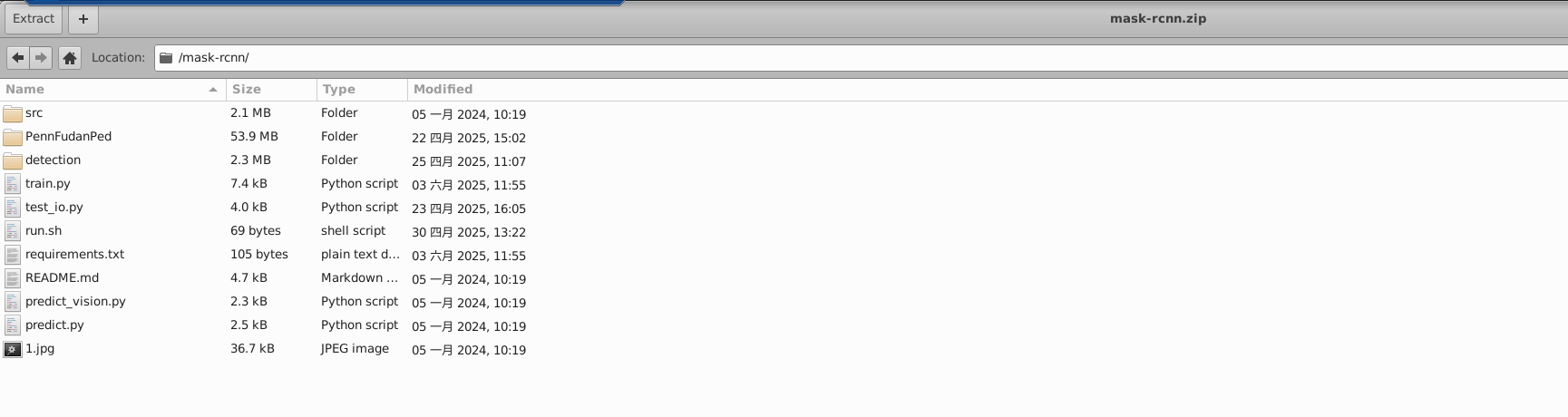
Parameter Selection: In the job creation interface, select corresponding configuration parameters according to the image below. 

Number of Nodes: Refers to the number of machines scheduled; Image: Needs to contain environments required for multi-machine jobs; Dataset: In this code project example, no mounting settings are required. If users' own code projects need data mounting, please set it yourself; Executable File: Is
train.py; Training Code Path: Needs to be set according to actual situation, please select the directory of the code project (uploaded file directory, in this example it is the folder level containing train.py); Install Related Dependencies: In this example, it ispip install -r requirements.txt;